
What happens from the day you put a job in it.
A data center, a plant, a hospital wing — full of machines that have to be proven delivered, installed, tested and handed over. Here is the walk, in order: what your crew does, what stays open until the proof is there, what the owner sees, and what is still there years later.
- Day one
Put the job in
Import the register — rooms from a spreadsheet, machines from the manufacturer's list, your crew from a CSV — or open a project with one machine and add as you go. Pick the hold points for each discipline from the templates, or write your own. Every machine now knows what evidence it will need before anyone has done a day's work, and the closeout package already has its index.
- On site
Capture the proof where it happens
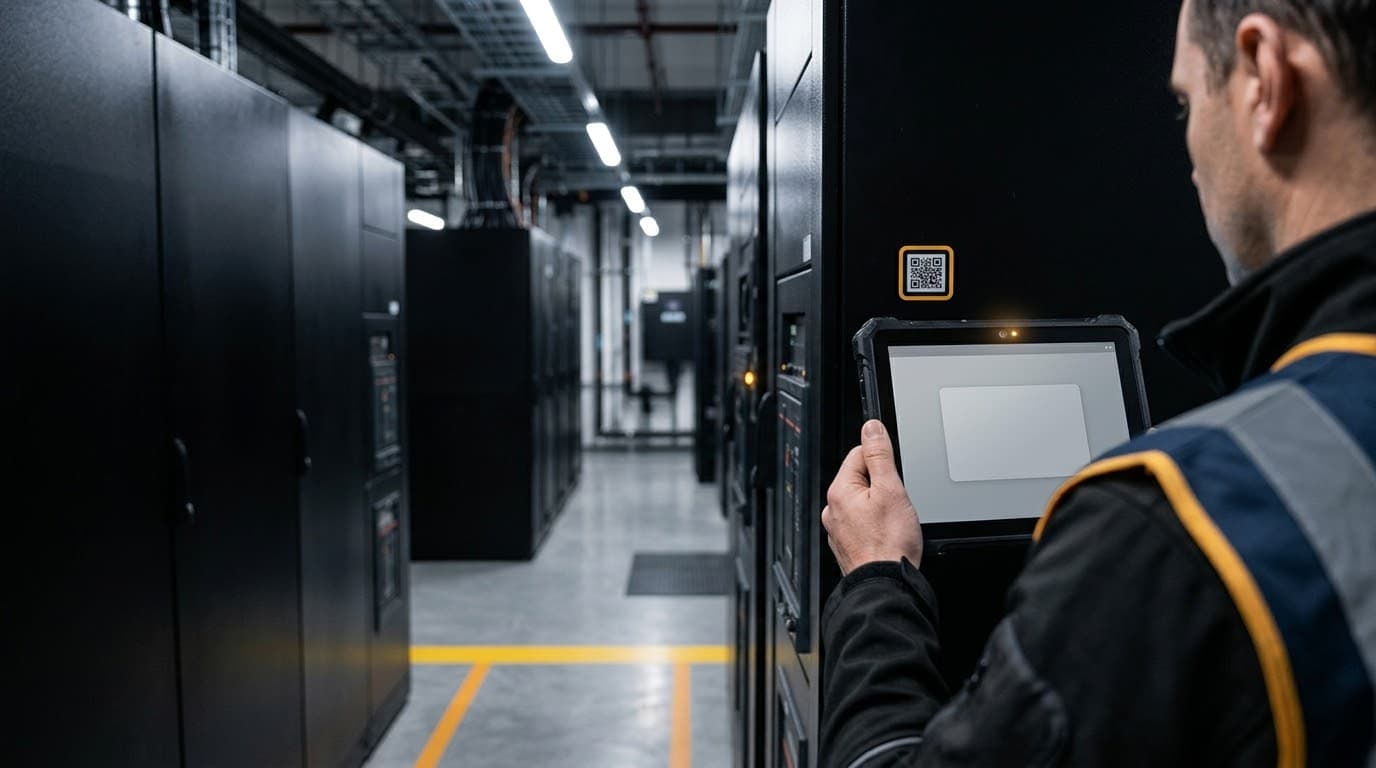
A technician scans the machine's QR code, sees the open steps, and records what the step asks for: a photograph, a reading, a signature, an uploaded test record. A step whose proof is missing stays open. The rule is the same for everyone, so a tablet in a basement with no signal gets the same answer once it catches up.
- Every week
The legwork is drafted; a person decides
AI assistants for document control, reporting and closeout chase what's missing, draft the weekly report, and line up anything that matters for a named person to approve or refuse. You see who drafted and who decided on every line. Nothing high-risk happens on its own.
- Closeout
There is nothing to assemble
Every page that closed is already in the package, attributed and dated. The owner opens the portal, reads the register, accepts the turnover. The completeness figure is the register itself, not a spreadsheet somebody maintains beside it.
- Handover
The record moves to the owner
The firm offers the finished site inside the platform; the owner accepts under named terms and the site — machines, checks, evidence, warranties — becomes theirs to run. The firm keeps its own sealed history of the work. If the firm stays on for ongoing QA, nothing changes.
- Years later
The site keeps the same record
Maintenance routines roll on their own schedule, warranty windows count down, and a claim or a failure argument is answered by the chain: what was installed, who checked it, what the reading was, on which day. Tamper-evident, exportable, still yours.
The same QA business, three ways
On spreadsheets and email
Clipboards, spreadsheets, and email. One real firm's guide calls for 17 logs and 200+ document types across 27+ equipment types. People type what they saw (hopefully same-day), email subs over and over for missing reports, hand-write the daily report each evening — and spend weeks at the end assembling the closeout from folders and inboxes.
With general construction software
A real improvement — one shared place, checklists on tablets, photo uploads, dashboards. But most of it records rather than enforces: a checklist can close without the required photo, humans still do the chasing, closeout is still a search through the software, and the record usually ends at handover.
On Veristep
You set the hold points once. The crew captures the proof on the job — a photo, a reading in range, a signature, an uploaded record. A step with its proof missing stays open, for everyone, including an administrator. Every page that closes is already in the package, so there is nothing to assemble at the end. The record stays readable years after the job is signed off.
Every machine follows a set path you can trace
Every discipline follows a set path, and the proof each phase needs is spelled out ahead of time — not typed in as a status. Here’s a commissioning example; each step goes on the record for good, with a name and a date on it.
- 1Design QA signed offEvery requirement is checked to make sure it can be built and tested. Each discipline signs off before construction, and anything that falls short becomes an approved deviation with its leftover risk written down.
- 2Requirement identifiedIt goes on the document register as required, and not yet asked for.
- 3Submittal approvedThe submittal moves through approval: requested, received, reviewed, approved.
- 4Material receivedThe delivery is logged at the dock, and the machine's record moves to received.
- 5Installation observedSomeone watches the install and records it, and the step won't close without the photo.
- 6Test records collectedEach test record names the qualified party who actually ran the test.
- 7Deficiencies trackedEvery problem goes on the log with a severity and a clock that keeps counting until it's fixed.
- 8Corrective action documentedThe problem gets a corrective action (the NCR and its CAPA), with the proof of the fix on record.
- 9Commissioning completeThe machine climbs levels L0 to L5 (CSI 01 91 00): pre-functional, functional, integrated. Each level is earned by proof and shows as a color tag on the machine.
- 10Turnover acceptedThe package shows how complete it is, and the client accepts it right in the record.
- 11Closeout archivedIt's sealed and ready to export, and it was already put together before anyone asked.
A boundary the software respects: the QA firm reviews, observes, documents, reports, and consults — it does not install, test, or commission. Every test record is attributed to the party that performed it. That’s a legal line, not a nicety.
What changes — and how you would check it
No number you cannot verify. Each of these is something you can see in the tour or put your own figures against in the ROI calculator.
Closeout is a by-product, not a phase
Every closed step lands in the package the moment it closes. Open the tour's closeout screen on a half-finished job and the package is already half assembled — that is the claim, and it is visible.
Missing items show up in week two, not at the end
The register lists what is required and not yet received from day one, so the chase starts while the sub is still on site. Check it: the document register in the tour shows required, requested, received, reviewed, approved and rejected as separate states.
The chasing is drafted for you
Reminders, weekly reports and the closeout index are drafted by AI assistants and approved by a person. What that saves depends on how many jobs you run — the ROI calculator lets you put your own numbers in.
Disputes are answered by the chain
A warranty claim years later is met with the attributed, dated, tamper-evident record of what was installed and checked — re-verifiable end to end, not reconstructed from inboxes.